
Toyota Corolla: Before driving / Trailer, Dinghy towing
Trailer towing
Toyota does not recommend towing a trailer with your vehicle. Toyota also does not recommend the installation of a tow hitch or the use of a tow hitch carrier for a wheelchair, scooter, bicycle, etc. Your vehicle is not designed for trailer towing or for the use of tow hitch mounted carriers.
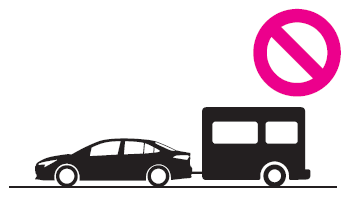
NOTICE
■To avoid serious damage to your vehicle
Do not tow your vehicle with the four wheels on the ground.
 Vehicle load limits
Vehicle load limits include total load capacity, seating capacity, towing capacity
and cargo capacity.
Total load capacity (vehicle capacity weight): ®P...

Other information:
Toyota Corolla 2019-2026 Owners Manual: Turning the system on and off. Selecting an audio source
Turning the system on and off “POWER VOLUME” knob: Press to turn the audio/visual system on and off. The system turns on in the last mode used. Turn this knob to adjust the volume. Selecting an audio source 1 Press the “AUDIO” button. 2 Select “Source” or press “AUDIO” button again. 3 Select the desired source. Dimmed screen buttons cannot be operated. When there are two page..
Toyota Corolla 2019-2026 Owners Manual: Continuously variable transmission
The fluid capacity is a reference quantity. If replacement is necessary, contact your Toyota dealer. NOTICE ■ Continuously variable transmission fluid type Using continuously variable transmission fluid other than the above type may cause abnormal noise or vibration, or damage the continuously variable transmission of your vehicle...
Categories
- Manuals Home
- 12th Generation Corolla Owners Manual
- Unlocking and locking the doors from the outside
- Electric parking brake
- Settings display
- New on site
- Most important about car
Opening the trunk
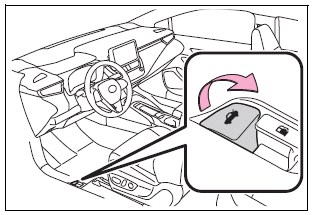
■ Trunk opener
Pull the lever upward to release the trunk lid.
■ Trunk release button (vehicles with a smart key system)
While carrying the electronic key, press the button on the trunk lid.
When all the doors are unlocked using one of the following methods, the trunk can be opened without the electronic key:
Entry function Wireless remote control Door lock switches Automatic door unlocking system Mechanical key
Copyright © 2026 www.tocorolla12.com