Toyota Corolla: Gauges and meters (7-inch display) / Odometer and trip meter display
■ Changing the display
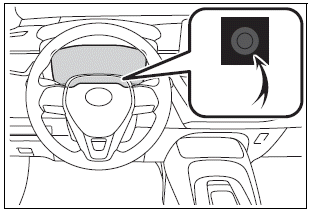
Press the display change button until the desired item is displayed.
■ Display items
l Odometer
Displays the total distance the vehicle has been driven.
l Trip meter A/Trip meter B
Displays the distance the vehicle has been driven since the meter was last reset. Trip meters A and B can be used to record and display different distances independently.
To reset, display the desired trip meter and press and hold the display change button.
 Gauges and meters (7-inch display)
Meter display
■ Locations of gauges and meters
► Analog speedometer
The units of measure may differ depending on the intended destination of the
vehicle...
 Changing the instrument panel light brightness
The brightness of the instrument panel lights can be adjusted.
1 Brighter<> 2 Darker
■Instrument panel light brightness adjustment
The brightness of the instrument panel lights can be adjusted separately for
when the tail lights are on and off...
Other information:
Toyota Corolla 2019-2026 Owners Manual: Toyota Safety Sense 2.0
The Toyota Safety Sense 2.0 consists of the following drive assist systems and contributes to a safe and comfortable driving experience. Driving assist system ■ PCS (Pre-Collision System) ■ LTA (Lane Tracing Assist) ■ LDA (Lane Departure Alert with steering control) ■ AHB (Automatic High Beam) ■ RSA (Road Sign Assist) ■ Dynamic radar cruise control with full-speed range ■ Dynamic ra..
Toyota Corolla 2019-2026 Owners Manual: Heated steering wheel/seat heaters
Heated steering wheel Warms up the grip of the steering wheel Seat heaters Warm up the seat upholstery WARNING ■ To prevent minor burn injuries Care should be taken if anyone in the following categories comes in contact with the steering wheel or seats when the heater is on: Babies, small children, the elderly, the sick and the physically challenged Persons with sensitive skin Person..
Categories
- Manuals Home
- 12th Generation Corolla Owners Manual
- PCS (Pre-Collision System)
- Opening the trunk
- Maintenance and care
- New on site
- Most important about car
Screen adjustment
The contrast and brightness of the screen display and the image of the camera display can be adjusted. The screen can also be turned off, and/or changed to either day or night mode.
(For information regarding audio/visual screen adjustment)
Displaying the screen adjustment screen
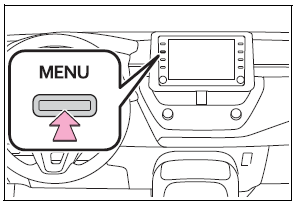
1 Press the “MENU” button.