Toyota Corolla: Essential information / If the vehicle is trapped in rising water
In the event the vehicle is submerged in water, remain calm and perform the following.
- Remove the seat belt first.
- If the door can be opened, open the door and exit the vehicle.
- If the door can not be opened, open the window using the power window switch and exit the vehicle through the window.
- If the window can not be opened using the power window switch, remain calm, wait until the water level inside the vehicle rises to the point that the water pressure inside of the vehicle equals the water pressure outside of the vehicle, and then open the door and exit the vehicle.
WARNING
■ Using an emergency hammer* for emergency escape
The front side windows and rear side windows, as well as the rear window can be shattered with an emergency hammer* used for emergency escape. However, an emergency hammer* can not shatter the windshield as it is laminated glass.
■ Escaping the vehicle from the window
There are cases where escaping the vehicle from the window is not possible due to seating position, passenger body type, etc.
When using an emergency hammer, consider your seat location and the size of the window opening to ensure that the opening is accessible and large enough to escape.
 If your vehicle has to be stopped in an emergency
Only in an emergency, such as if it becomes impossible to stop the vehicle in
the normal way, stop the vehicle using the following procedure:
Stopping the vehicle
1 Steadily step on the brake pedal with both feet and firmly depress it...

Other information:
Toyota Corolla 2019-2026 Owners Manual: Voice command system operation. Command list
Command list overview Recognizable voice commands and their actions are shown below. Frequently used commands are listed in the following tables. For devices that are not installed to the vehicle, commands relating to that device may not be displayed on the screen. Also, depending on other conditions, such as compatibility, some commands may not be displayed on the screen. The functions av..
Toyota Corolla 2019-2026 Owners Manual: Quick reference
Phone screen operation The phone screen can be reached by the following methods: ► From the “PHONE” button Press the “PHONE” button. ► From the “MENU” button Press the “MENU” button, then select “Phone”. Bluetooth® hands-free system operation The following functions can be used on phone operation: Registering/connecting a Bluetooth® device Placing a call using the Blu..
Categories
- Manuals Home
- 12th Generation Corolla Owners Manual
- iMT (Intelligent Manual Transmission)
- Odometer and trip meter display
- Unlocking and locking the doors from the outside
- New on site
- Most important about car
SRS airbags
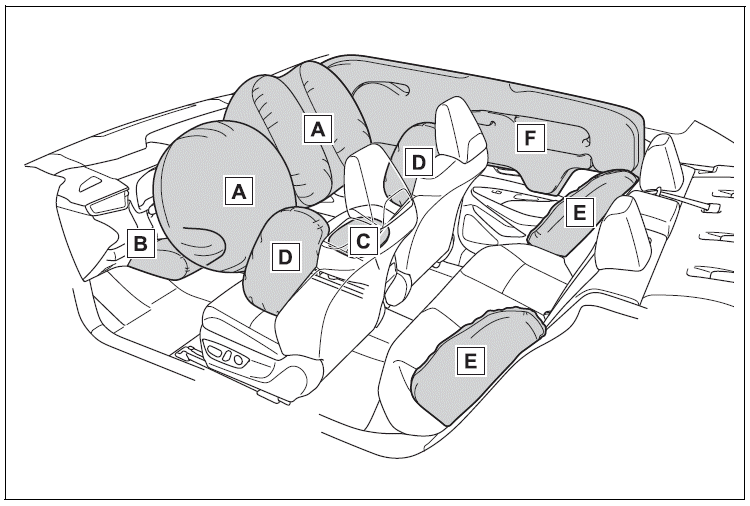
The SRS airbags inflate when the vehicle is subjected to certain types of severe impacts that may cause significant injury to the occupants. They work together with the seat belts to help reduce the risk of death or serious injury.
SRS airbag system
■ Location of the SRS airbags