Toyota Corolla: Basic information before operation / Initial screen
When the engine switch is turned to ACC or ON, the initial screen will be displayed and the system will begin operating.
Caution screen
After a few seconds, the caution screen will be displayed.
After about 5 seconds or selecting “Continue”, the caution screen automatically switches to the next screen.
WARNING
When the vehicle is stopped with the engine running, always apply the parking brake for safety.
Restarting the system
When system response is extremely slow, the system can be restarted.
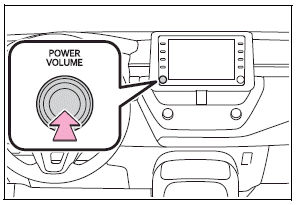
Press and hold the “POWER VOLUME” knob for 3 seconds or more.

 Touch screen
Touch screen gestures
Operations are performed by touching the touch screen directly with your finger.
Flick operations may not be performed smoothly at high altitudes...
Other information:
Toyota Corolla 2019-2026 Owners Manual: Activating the Automatic High Beam
1 Press the Automatic High Beam switch. 2 Push the lever away from you with the headlight switch in the or position. The Automatic High Beam indicator will come on when the system is operating. ■Conditions to turn the high beams on/off automatically When all of the following conditions are met, the high beams will be turned on automatically (after approximately 1 second): The vehicle s..
Toyota Corolla 2019-2026 Owners Manual: Audio screen adjustment. Voice command system
Audio screen adjustment ■ Screen format settings The screen format can be selected for USB video. 1 Press the “MENU” button. 2 Select “Setup”. 3 Select “Audio”. 4 Select “Common”. 5 Select “Screen Format”. 6 Select the desired item to be adjusted. A Select to display a 4 : 3 screen, with either side in black. B Select to enlarge the image horizontally and vertically to full ..
Categories
- Manuals Home
- 12th Generation Corolla Owners Manual
- Alarm
- Engine immobilizer system
- Lubrication system (2.0 L 4-cylinder [M20A-FKS] engine)
- New on site
- Most important about car
Screen adjustment
The contrast and brightness of the screen display and the image of the camera display can be adjusted. The screen can also be turned off, and/or changed to either day or night mode.
(For information regarding audio/visual screen adjustment)
Displaying the screen adjustment screen
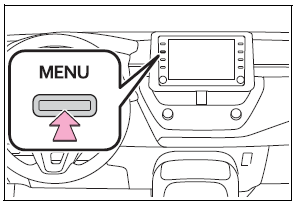
1 Press the “MENU” button.